Back to Blog
How to Host the Perfect Virtual Game Night
TashanPlay Team
April 2026
4 min read
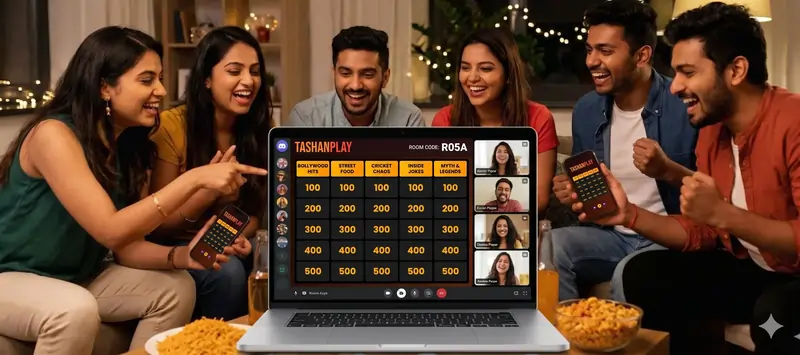
Let's be real. Hosting a virtual game night shouldn't feel like a corporate IT meeting. You shouldn't have to explain five different software downloads just to have fun with your friends.
We built TashanPlay to kill the awkwardness. Whether you are hanging out on a sweaty Discord call with your gaming squad or a chaotic family WhatsApp video chat, here is your foolproof, zero-stress guide to getting a game up and running in under a minute.
Step 1. Find the Party
First things first. Search TashanPlay on Google (or just bookmark us, because you'll be back). Once you are on the homepage, smash that Start Game button or just hit the Popular tab. You'll be taken to our entire library of desi-flavored chaos.
Step 2. Pick Your Vibe
Browse through the games and select whatever fits the mood. Once you click a game, you have two choices:
- Existing Game: Dive straight into one of our ready-to-play, pre-mades. Zero setup required.
- Create Your Own (Coming Soon!): Want to make it personal? Build a custom game with inside jokes and references your friends will actually understand.
Step 3. Couch or Call? (Offline vs. Online)
This is where the magic happens. After picking your game mode, the system will ask how you want to play. Make your choice based on where your friends are:
🛋️ If Everyone is in the Same Room (Offline)
Select the Offline option. All you need to do is open the site on your laptop, or cast your phone directly to the TV so the whole room can see the screen. Voila! The game is ready. Pass the snacks.
🌐 If Your Friends are Scattered (Online)
Select the Online option. TashanPlay will instantly generate a secure Room Code and a shareable link. Drop that link into your WhatsApp group, or anywhere else. Just make sure everyone hops onto a Discord or Zoom voice call—the trash talk is mandatory. Voila, the game is live!
Step 4. The "Lost Friend" Protocol
Are you the friend who just got sent a code but has no idea what to do with it?
Don't panic. If someone texted you a 7-character room code (e.g., MG-9KCA) and you are completely lost, just go to the TashanPlay homescreen. Tap the giant Join Game button, punch in the code, and you are in the lobby. No sign-ups, no downloading apps.
Ready to test it out?
Stop reading about it and go start a lobby. Fire up Discord, grab a room code, and let the chaos begin.
Launch TashanPlay
Back to Blog